

The lights go out, the furnace fan winds down, and soon after, many alarm panels give a short chirp. That chirp is the panel reporting lost wall power while its security system backup battery takes over and keeps watching your doors, windows, and motion sensors. Knowing what that battery does, how long it lasts, and what it can’t cover helps you tell a normal storm-night beep from a real problem.
The question most homeowners have when the lights go out is simple: is my alarm still protecting the house and reaching the monitoring center? With South Sound storm season ahead, the sections below cover how your alarm runs on battery, how cellular alarm monitoring keeps it connected, why the panel beeps afterward, and a pre-storm checklist you can finish in about an hour.
Table of Contents
What a Security System Backup Battery Does When the Power Goes Out
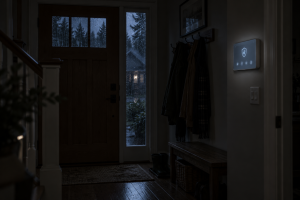
A security system backup battery sits inside the alarm panel and takes over when the power drops, so the panel keeps arming, disarming, and reporting alarms. Wireless door, window, and motion sensors run on their own batteries, so they keep talking to the panel. Devices that need wall power or your home Wi-Fi go dark until the power returns.
The panel also logs an AC power failure trouble condition, which Alarm.com defines as the panel losing its plug-in power. A trouble condition is a status warning. It does not set off the siren or send a burglary alarm on its own.
| Device | During a power outage | What to know |
|---|---|---|
| Alarm panel | Runs on its security system backup battery | Runtime depends on battery age and how often you use the screen |
| Wireless door, window, and motion sensors | Keep working on their own batteries | Replace low sensor batteries before storm season |
| Battery-powered smart locks | Keep locking and unlocking | Check lock battery levels in the app before a storm |
| Cellular communicator | Keeps sending signals to the monitoring center | Cell service can slow down in long, widespread outages |
| Modem and Wi-Fi router | Shut off | Internet-based features and Wi-Fi devices lose their connection |
| Wi-Fi cameras and video doorbells | Usually go offline | Battery cameras still need Wi-Fi to upload clips |
| Smart plugs, lights, and thermostats | Off until power returns | Check schedules and settings after the power comes back |
How Long Does a Security System Backup Battery Last?

Qolsys, the maker of the IQ Panel used in many Alarm.com systems, says its panel battery is UL certified to last 24 hours during a power outage. Real runtime is often shorter. Screen use, frequent sensor activity, and an aging alarm system battery all pull the charge down faster.
Older hardwired panels work differently. Their wired keypads, motion detectors, and other powered devices draw from the panel’s backup battery, so runtime depends on how many of those devices the panel supports. The comparison of wired and wireless security systems in older Puyallup homes explains how those systems differ.
What Drains the Battery Faster
- Screen time. Each time you wake the touchscreen to check status, the display draws extra power.
- Busy sensors. A full house with people walking past motion sensors and opening doors gives the panel more events to process.
- Battery age. A rechargeable security system backup battery holds less charge as it ages, so a panel that ran a full day when new may fall short years later.
Picture a windstorm outage that runs 30 hours. The panel carries the house through the first night, then shuts down once the backup battery runs out, and your home goes unprotected until the power returns. When it does, the panel should start up and begin recharging. Call your security provider if the screen stays dark.
Lithium Panel Batteries vs. Sealed Batteries in Older Panels
Qolsys builds a dual-celled lithium-ion battery into the IQ Panel, so the security system backup battery lives inside the touchscreen unit itself. Many older hardwired panels use a rechargeable sealed battery that sits in the metal panel cabinet, often in a closet, garage, or basement, apart from the keypad you use every day.
Either type wears down with age, and two signs tell you an alarm system battery is losing capacity:
- The warning keeps coming back. A low battery trouble that returns after the panel has had several days on wall power, as in step 5 of the beep list below.
- Outages feel shorter. The panel shuts down sooner from one outage to the next, well short of its rated runtime.
Battery life in years varies by panel and by how often the battery gets drained, so check your panel’s documentation or ask your security provider when a replacement makes sense.
How Cellular Alarm Monitoring Keeps Your System Connected

A power outage shuts off your modem and router, but cellular alarm monitoring keeps an Alarm.com system in touch with the monitoring center. Qolsys IQ Panels connected to Alarm.com include a built-in cellular communicator, so a panel running on its security system backup battery can still send alarm signals. You can keep arming, disarming, and checking status from the app.
A cellular path separates a system that depends on your home internet from one better suited to storm season. With professional alarm and video monitoring, a break-in or fire signal still reaches the monitoring center while your Wi-Fi is down.
Cellular backup has limits:
- Cell networks can slow down. Long, widespread outages can slow down or interrupt cellular service in some areas.
- Video depends on Wi-Fi. Wi-Fi cameras and Alarm.com video doorbells stop uploading clips until your power and internet come back.
Some homeowners put their modem and router on a small battery backup unit of their own so Wi-Fi cameras stay online through short outages. If you go that route, compare the unit’s rated runtime with the length of outage you want it to cover.
How Alarm.com Alerts Tell You Your Home Lost Power
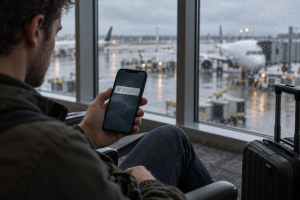
Alarm.com can send a notification when your property loses power and another when power is restored, so you know your panel switched to its backup battery even when you are out of town. When an outage lasts more than 10 minutes, Alarm.com sends a follow-up showing the share of nearby Alarm.com systems that also lost power.
A high percentage points to a neighborhood outage. Most Puyallup and South Hill homes get power from Puget Sound Energy, and the PSE outage map shows estimated restoration times. A low percentage suggests a tripped breaker or an unplugged panel at your house, which the utility can’t fix.
These alerts need an interactive Alarm.com service plan, so confirm your plan with your security provider. To turn them on in the Alarm.com app:
- Open the app and go to Notifications, then Settings.
- Open the System Event notification.
- Under Urgent, make sure “My property loses power” is selected.
- Under Other, select “Power is restored to my property” if you want a restore alert.
- Choose who receives the alert, then save.
New to Alarm.com notifications? The Alarm.com video tutorials include a walkthrough for turning on push notifications on your phone.
Why Your Alarm System Battery Warning Beeps After the Power Comes Back

A panel that beeps during or after an outage is reporting a trouble condition. After the power returns, the most common cause is a low battery warning. Alarm.com says a Panel Low Battery trouble means the backup battery drained, usually after an AC power failure, and that it should recharge on wall power.
To quiet the beeps and clear the warning:
- Read the trouble message on the panel screen. During the outage it usually shows AC power failure, and after the power returns it often shows low battery.
- Follow the on-screen prompt to acknowledge the trouble. The steps differ by panel model.
- Confirm the panel is plugged in and the outlet has power, which is the first step Alarm.com recommends for an AC power failure.
- Give the alarm system battery time to recharge on wall power.
- Ask your security provider to check the battery if the low battery warning keeps returning days after the power is back. An older security system backup battery may no longer hold a full charge.
Leave the backup battery connected, even when the beeping wears on you. A disconnected battery stops the noise but leaves the panel with nothing to run on during the next outage.
Outlet Problems That Look Like Outages
Sometimes the panel reports a power failure when the utility’s service is fine. Check these first:
- Switched outlets. A panel plugged into an outlet controlled by a wall switch loses power when someone flips that switch.
- Tripped GFCI outlets. Garage and basement GFCI outlets can trip during wet, windy weather and cut power to a panel’s transformer.
- Shared circuits. A space heater on the same circuit can trip the breaker on a cold night.
Pre-Storm Security System Backup Battery Checklist

Before windstorm season, set aside about an hour to confirm your security system backup battery, sensors, cellular connection, and app alerts are ready. With those checked, you can follow the next outage from your phone and know your monitoring is still connected. Work through these seven steps:
| Checklist item | How to check | Why it matters |
|---|---|---|
| 1. Panel power | Confirm the panel’s plug is secure and its outlet isn’t on a switch | A loose plug or switched outlet drains the battery before a storm starts |
| 2. Backup battery | Look for battery trouble messages on the panel and in the app | An aging alarm system battery may not last through a long outage |
| 3. Sensor batteries | Check the app for sensors with low batteries and replace them | Wireless sensors run on their own batteries during an outage |
| 4. Cellular connection | Check the panel’s cellular signal indicator or ask your provider to confirm the communicator checks in | Cellular alarm monitoring keeps signals moving when your internet drops |
| 5. Power alerts | Turn on “My property loses power” and “Power is restored” notifications | Tells you about an outage while you are away |
| 6. Contacts and user codes | Update your emergency contacts and user codes | Helps the monitoring center reach the right people |
| 7. Outage sources | Bookmark your utility’s outage map and sign up for free Pierce County ALERT notices by texting PCALERT to 888-777 | Gives you restoration estimates and storm updates |
When a Battery Check Isn’t Enough
Some systems need more than a pre-storm check. A panel that still depends on a landline or an internet-only connection, or one whose security system backup battery can’t get through short outages, may be ready for a newer professionally installed home security system with Alarm.com cellular alarm monitoring. All Systems Integrated Northwest can walk you through panel and communicator options that fit your home and budget.
Schedule a Security System Checkup with All Systems Integrated Northwest

All Systems Integrated Northwest has been one of Puget Sound’s premier custom electronic integrators since 2004, with its home base in Puyallup. Before the next big storm, schedule an appointment with All Systems Integrated Northwest to have your panel, security system backup battery, cellular communicator, and app alerts checked. Sales and consultations are by appointment.
You can read what South Sound homeowners say on the All Systems Integrated Northwest testimonials page or learn more about All Systems Integrated Northwest.
Frequently Asked Questions
How long does a security system backup battery last?
Qolsys rates its IQ Panel battery for 24 hours during a power outage, and real runtime is often shorter. Screen use, busy sensors, and an older battery drain it faster. Hardwired panels vary with how many keypads and powered detectors draw from the battery, so ask your provider what yours supports.
Will my alarm still work if the power and internet are both out?
Yes, if your panel has a charged backup battery and a cellular communicator. The panel keeps arming, disarming, and sending alarms on battery power while cellular alarm monitoring carries signals to the monitoring center. Systems that depend on a landline or home internet may lose that connection.
Does a power outage set off a false alarm?
Losing power on its own creates a trouble condition, so the panel beeps and the siren stays quiet. An armed system can still alarm if a sensor trips, such as a door the wind pushes open. Keep doors latched and disarm before opening them during a storm.
Do my security cameras record during a power outage?
Most plug-in cameras and wired video doorbells go offline without power, and battery cameras need a working Wi-Fi router to upload clips. Your alarm panel and wireless sensors keep protecting the home on the alarm system battery, and the cellular communicator keeps alarm monitoring connected while the video is down.
How do I know my alarm system battery needs to be replaced?
Watch for a low battery warning that keeps returning after the panel has spent several days on wall power, or a panel that shuts down sooner with each outage. Alarm.com says a drained battery should recharge on AC power, so a warning that won’t clear often points to a worn battery or a charging problem. Ask your security provider to test it.